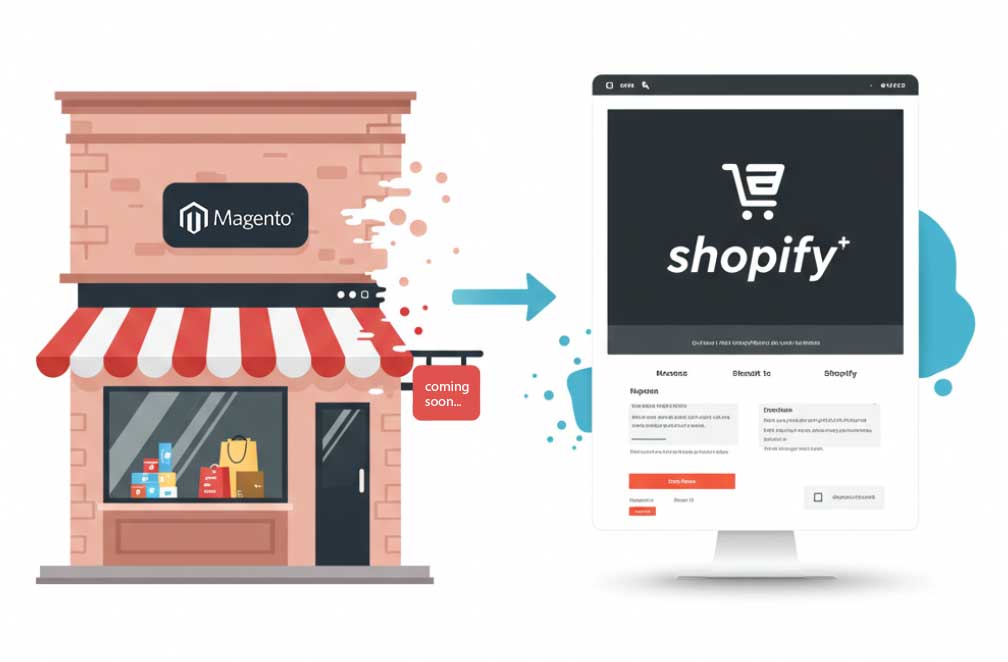
Migrating from Magento (now Adobe Commerce) to Shopify is one of the most significant decisions an ecommerce operator can make. Done right, it reduces your total cost of ownership, eliminates infrastructure maintenance burden, and gives your team access to Shopify's rapidly expanding feature set. Done wrong, it can cost you rankings, customers, and revenue.
This guide walks through the entire replatforming process — from requirements gathering through post-launch monitoring — with particular attention to the B2B considerations that most migration guides gloss over.
Why Merchants Migrate from Magento to Shopify
Reduced Total Cost of Ownership
Magento's on-premise versions carry substantial ongoing costs: dedicated hosting infrastructure, security patching, extension updates, and developer time for routine maintenance. Shopify's SaaS model bundles most of these costs into a predictable monthly subscription. For most mid-market merchants, the total cost of ownership on Shopify is meaningfully lower over a 3-year horizon.
Faster Access to Innovation
Shopify releases new features continuously — often multiple times per week at the platform level. Magento's release cadence is slower, and merchants on heavily customized installs frequently can't upgrade without breaking custom functionality. Shopify merchants automatically receive platform improvements without any upgrade process.
Improved Performance and Scalability
Shopify's cloud infrastructure handles traffic spikes automatically. Magento merchants on underpowered hosting frequently see performance degradation during peak periods — Black Friday, product launches, media coverage spikes. Shopify's infrastructure is purpose-built for ecommerce scale.
Better Developer Ecosystem
Shopify's App Store has more third-party apps, better-maintained integrations, and a larger developer community than Magento's marketplace. Finding and replacing Magento extensions with Shopify equivalents is significantly easier than it was even three years ago.
Phase 1: Requirements Gathering
This is where most migrations succeed or fail. Thorough requirements documentation before any development work begins is non-negotiable. The key areas to document:
Integration Inventory
- ERP integration: How does product data, pricing, and inventory flow today? Which system is the source of truth? Document every data entity that syncs and the direction of sync.
- Inventory management: Real-time vs. batch sync? Multi-location inventory? Which locations need visibility?
- Order flow: How do orders flow from Shopify to your ERP/WMS? What order attributes (shipping notes, PO numbers, customer references) need to pass through?
- Tax software: Are you using Avalara, Vertex, or another tax engine? Or will you rely on Shopify's native tax calculations?
- CRM and marketing platforms: Klaviyo, Listrak, Salesforce, HubSpot — document every system that needs customer and order data.
B2B-Specific Requirements
- Customer account structure (individual buyers vs. company accounts with multiple contacts)
- Pricing complexity (tier pricing, customer-specific pricing, volume discounts)
- Order approval workflows
- Net terms and payment method restrictions by customer
- Custom catalogs per customer segment
- Minimum/maximum order requirements
SEO Inventory
Before migration, crawl your entire Magento site and document every indexed URL. This becomes your redirect map. Every URL that drives organic traffic needs a 301 redirect to its Shopify equivalent.
Phase 2: Data Migration
For B2B merchants, the recommended migration order is critical to maintaining data relationships:
- Companies first: Create the organizational structure in Shopify B2B before any customers.
- Customers: Import customer records, mapping to the correct company accounts.
- Customer-company associations: Link buyers to their respective company accounts.
- Price lists: Configure customer-specific or segment-specific pricing.
- Products and variants: Migrate catalog data with all attributes, metafields, and media.
- Order history: Import historical orders with correct customer and company linkages.
Data preparation is as important as migration tooling. Before running any migration, clean your Magento data: remove duplicate records, standardize formatting, verify company names and addresses, and identify any data that doesn't have a Shopify equivalent.
Phase 3: Functionality Mapping
For each Magento extension or custom module, you need a plan:
- Shopify app replacement: Most common extensions (product reviews, search, returns management, loyalty) have Shopify equivalents. Evaluate and select before migration begins.
- Native Shopify feature: Many things Magento required extensions for (discount rules, customer segments, B2B accounts) are now native in Shopify Plus.
- Custom development: Complex custom logic (unusual pricing rules, custom order workflows, unique checkout modifications) may require custom Shopify app development using Shopify Functions or the Admin API.
Phase 4: SEO Migration
SEO preservation requires systematic execution:
- Map every Magento URL to its Shopify equivalent (or to /blog/ if discontinuing that content)
- Configure 301 redirects in Shopify for every mapped URL
- Migrate all meta titles and descriptions to Shopify product/collection/page records
- Verify canonical tags on all migrated pages
- Generate and submit new XML sitemaps to Google Search Console
- Monitor Search Console for crawl errors in the weeks following launch
Phase 5: Testing
Test everything — not just the obvious paths. For B2B merchants especially, test:
- Login as multiple different customer types (individual buyer, company admin, company buyer with limited permissions)
- Complete orders using every payment method in your configuration
- Verify customer-specific pricing appears correctly for each segment
- Test order approval workflows end-to-end
- Verify ERP sync for test orders in both directions
- Confirm tax calculations are correct across relevant jurisdictions
Phase 6: Launch and Post-Launch Monitoring
On launch day, the sequence matters:
- Verify all redirects are live
- Update DNS to point to Shopify
- Remove Shopify's storefront password
- Monitor for 404 errors in real time
- Alert your B2B customers about the migration and provide login instructions
In the weeks following launch, monitor Google Search Console daily for crawl errors, track organic traffic vs. pre-migration baselines, and gather feedback from your B2B buyers on the new experience.
Common Mistakes to Avoid
- Skimping on requirements gathering: This is where scope creep and budget overruns originate.
- Migrating dirty data: Clean your Magento data before migration, not after.
- Underestimating redirect complexity: Magento URL structures (especially with layered navigation) can generate thousands of indexed URLs. Audit carefully.
- Going live without UAT from B2B buyers: Real buyers using the real system before launch catches issues your team won't think to test.
- Not communicating with customers: B2B buyers need advance notice. They have purchasing workflows that depend on your store — surprise them, and you'll have angry phone calls on launch day.